Grow Your Business 3X Faster with MarketBook Software
Complete sales, inventory, and customer management system with automatic daily & monthly profit calculations, debt tracking, and automated reminders. Start FREE, upgrade as you grow. No credit card required.
MarketBook is a comprehensive point of sale (POS) and business management system designed specifically for African businesses. It helps you manage sales, inventory, customers, and generate detailed reports - all from one platform. Whether you run a retail store, restaurant, or service business, MarketBook streamlines your operations and helps you grow faster.
Is there a free plan available?▼
Yes! MarketBook offers a FREE forever plan that includes 1 user, up to 10 products, basic POS features, and 100 orders per month. It's perfect for trying out the system or running a very small business. No credit card required to get started. You can upgrade to a paid plan anytime as your business grows.
How much does MarketBook cost?▼
We offer flexible pricing to match your business size. Plans start from FREE (forever), Starter at ₦70,000/year, Basic at ₦120,000/year, Professional at ₦220,000/year, and Enterprise at ₦500,000/year. All paid plans include more users, products, storage, and advanced features. You can pay semi-annually or annually for better value.
How quickly can I set up MarketBook?▼
You can set up MarketBook in just 5 minutes! Simply sign up, add your business information, create your first products, and you're ready to start selling. No complicated installation or technical expertise required. Our intuitive interface makes it easy to get started, and our 24/7 support team is always available if you need help.
What payment methods does MarketBook support?▼
MarketBook supports multiple payment methods including Cash, Credit/Debit Cards, Mobile Money (M-Pesa, MTN Mobile Money, etc.), Bank Transfers, and integrated payment gateways like Paystack. You can accept multiple payment methods for a single transaction and track all payments in real-time. We also support split payments and credit sales.
How does MarketBook calculate daily revenue and profit?▼
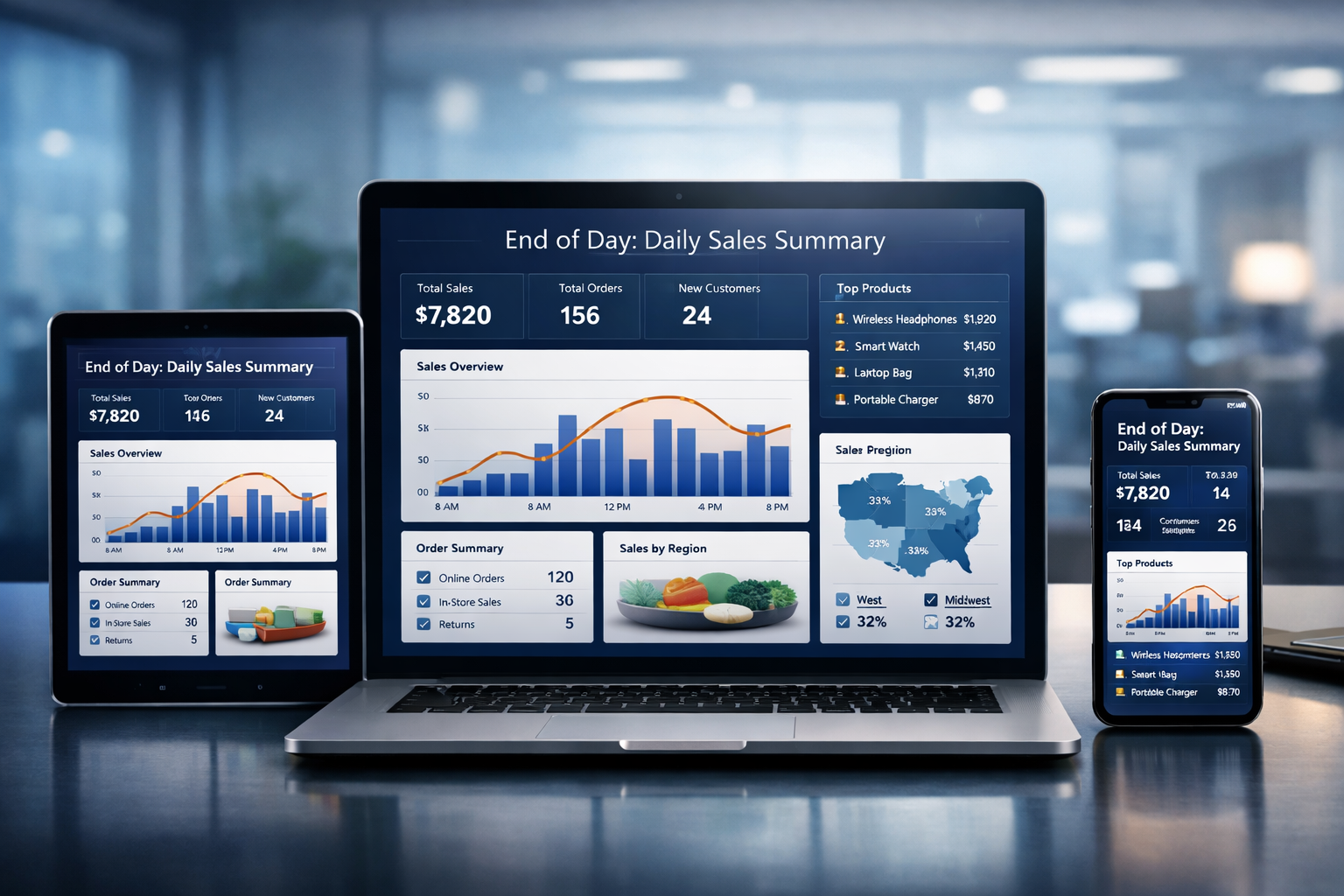
MarketBook automatically tracks every sale and calculates your daily revenue in real-time. At the end of each day, the system generates an End-of-Day (EOD) report that shows your total sales, expenses, and net profit. You'll see exactly how much money you made today, broken down by payment method, product categories, and more. No manual calculations needed - everything is done automatically.
Can I see monthly revenue and expense reports?▼
Yes! MarketBook accumulates all your daily data into comprehensive monthly reports. You can view month-over-month revenue trends, track expense patterns, analyze profit margins, and identify your best-selling products. The monthly dashboard gives you a complete financial overview including total sales, total expenses, net profit, and growth percentages compared to previous months. You can also export these reports for accounting or tax purposes.
How do I track business expenses in MarketBook?▼
Recording expenses is simple! You can add expenses anytime through the Expenses section - just enter the amount, category (rent, utilities, salaries, supplies, etc.), description, and date. MarketBook automatically includes these expenses in your daily and monthly profit calculations. You can categorize expenses, attach receipts, and generate expense reports by category or date range. This helps you understand where your money is going and identify areas to reduce costs.
How does debt tracking and management work?▼
MarketBook makes it easy to manage customers who buy on credit. When you make a credit sale, the system automatically creates a debt record with the customer's details, amount owed, and due date. You can view all outstanding debts in the Credit Management section, see payment history, and track who owes you money. The system keeps a complete record of all debtors, partial payments, and outstanding balances so you never lose track of money owed to your business.
Does MarketBook send automated payment reminders to debtors?▼
Yes! MarketBook can automatically send payment reminders to customers with outstanding debts via SMS or WhatsApp. You can configure when reminders are sent (e.g., when payment is due, or after it becomes overdue). The reminder messages include the customer's name, amount owed, and payment instructions. This feature helps you recover debts faster without having to manually chase customers. You can also send manual reminders anytime with just one click.
Can I manage multiple store locations?▼
Yes! Our Professional and Enterprise plans support multi-store management. You can manage inventory, sales, and staff across all your locations from a single dashboard. Each store can have its own inventory, pricing, and staff permissions while you maintain centralized oversight and consolidated reporting.
Is my business data secure?▼
Absolutely! We take security seriously. Your data is encrypted both in transit and at rest using industry-standard SSL/TLS encryption. We perform regular backups, have robust access controls, and comply with international data protection standards. Your business data is stored securely in the cloud and is only accessible by you and authorized team members.
Do you offer customer support?▼
Yes! We provide 24/7 customer support via live chat, email, and phone. Our support team is knowledgeable and ready to help with setup, troubleshooting, or any questions you have. Professional and Enterprise plans also include priority support with faster response times and dedicated account managers.
Can I cancel my subscription anytime?▼
Yes, you can cancel your subscription at any time with no penalties or hidden fees. Your account will remain active until the end of your current billing period, and you'll have access to all your data. You can also downgrade to our FREE plan if you want to continue using basic features without paying.
Can I access MarketBook on mobile devices?▼
Yes! MarketBook is fully responsive and works seamlessly on smartphones, tablets, and desktop computers. You can manage your business from anywhere using any device with a web browser. We also support barcode scanning using your phone's camera, making it easy to add products and process sales on the go.
Does MarketBook work offline?▼
MarketBook requires an internet connection to sync data in real-time. However, we understand that internet connectivity can be unreliable in some areas. We're working on offline mode capabilities that will allow you to continue processing sales during internet outages, with automatic synchronization when connection is restored.
Can I import my existing inventory data?▼
Yes! You can easily import your existing product inventory, customers, and other data using our bulk import feature. We support CSV and Excel file formats. Simply download our import template, fill in your data, and upload it to MarketBook. Our support team can also help you with data migration if needed.
Can MarketBook show me the total value of my inventory?▼
Yes! MarketBook automatically calculates the total value of your inventory in real-time. You can see the total worth of all your stock at any moment - this includes the cost value (what you paid for the items) and the retail value (what you'll sell them for). The inventory dashboard shows you exactly how much money is tied up in stock, helping you make better purchasing decisions and understand your business assets. You can also view stock value by category, supplier, or location.
How do product reorder notifications work?▼
When you add products to MarketBook, you can set a minimum stock level (reorder point) for each item. When your stock quantity drops below this level, the system automatically alerts you that it's time to reorder. You'll see notifications on your dashboard, receive email alerts, and can view a complete list of all products that need restocking. This prevents stock-outs and ensures you never lose sales due to items being out of stock. You can also set your preferred suppliers for quick reordering.
Can I control whether customers can buy on credit?▼
Yes! As a business owner, you have complete control over credit sales. You can enable or disable credit sales entirely from your store settings. When enabled, you can choose which customers are allowed to buy on credit and which must pay cash. This gives you full flexibility to manage risk - you might allow credit for trusted, long-term customers while requiring immediate payment from new customers. The system also tracks each customer's credit history to help you make informed decisions.
How do I set credit limits for customers?▼
Setting credit limits is easy! For each customer in your database, you can set a maximum credit limit - the total amount they're allowed to owe you at any time. For example, if you set a ₦50,000 limit for a customer, they can buy on credit up to that amount. Once they reach their limit, the system will prevent additional credit sales until they make a payment. You can adjust credit limits anytime based on the customer's payment history and reliability. The system shows you how much credit each customer has used and how much is still available.
Can staff members negotiate prices with customers?▼
You have full control over price negotiation! As the business owner, you can decide whether to allow staff members to adjust prices during checkout. If you enable price adjustments, staff can enter negotiated prices for customers - this is useful for bulk purchases or regular customers. However, the system protects you by ensuring prices cannot go below your set minimum (usually the cost price or selling price). You can also completely disable price adjustments to ensure all items are sold at fixed prices. This flexibility helps you balance customer service with profit protection.
How does minimum price protection work?▼
When you allow price adjustments, MarketBook automatically protects your profit margins by enforcing minimum price limits. You set the minimum acceptable price for each product (typically your cost price or a minimum selling price), and the system will not allow staff to sell below this amount. For example, if a product's selling price is ₦1,000 and you set a minimum of ₦800, staff can negotiate down to ₦800 but not lower. If they try to enter a price below ₦800, the system will show an error and prevent the sale. This ensures you never sell at a loss while still maintaining pricing flexibility for customer negotiations.